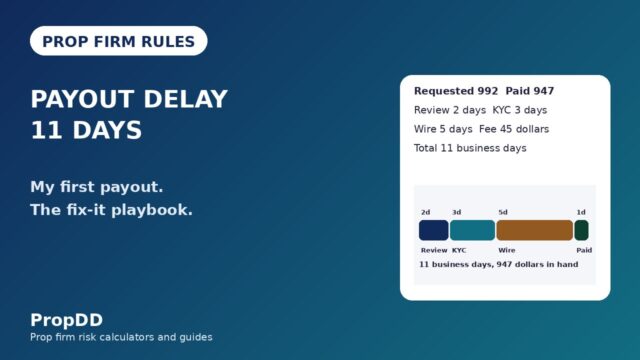
I got the email on a Tuesday morning, two days after requesting a $6,200 payout. It was not the payout confirmation I expected. It was a compliance notice: my account was under review, the payout was frozen, and I had 72 hours to explain why my login location had changed. I had done nothing exotic. I had flown to another city for a family wedding, opened my laptop on the hotel Wi-Fi, and traded my usual two positions. Nine days later — after sending my boarding pass, a photo of my ID and a written explanation — the payout was released. The rule that almost cost me six grand was one I had never read: the prop firm IP address rule. This guide is everything I learned from that week, because the rule is not what most traders think it is.
In this article
- What Prop Firm IP Address Rules Actually Monitor
- The Morning My Payout Went on Hold
- VPN, VPS and Proxies: What Is Allowed and What Gets Flagged
- Travelling With a Funded Account: The Routine That Works
- I Tested It: Travel-Mode Risk Maths on My 100k Account
- Flagged, Frozen or Terminated: What Each Outcome Costs
- The Safe-Login Checklist I Run Before Every Trip
- Frequently Asked Questions
The IP rule is not really about your IP address. Your IP is just one of five data points prop firms track to answer a single question: is the person trading this account the person who bought it? Firms log your IP, your device fingerprint, your browser metadata, your login timestamps and your geolocation, then compare every login against your normal pattern. A hotel Wi-Fi login two hundred miles from home is not a crime — but it looks exactly like the two things firms fear most: account sharing and copied trades across multiple accounts. That is why the rule freezes payouts instead of just warning you. Understand what triggers a flag, and you can travel, work from a cafe, or switch networks without ever meeting the compliance team.
What Prop Firm IP Address Rules Actually Monitor
Most traders imagine a simple rule: one account, one IP. The reality, published by firms like AquaFunded in their IP policy guide, is a behaviour profile. The firm records your normal login footprint over your first days of trading — the city, the network, the device, the hours you usually trade — and automated systems flag deviations from that footprint. Enforcement focuses on patterns, not single events: one hotel login is a curiosity; the same account logging in from two cities at once is a problem.
Here are the five data points firms combine, and what each one is really checking for:
| Data point | What the firm records | What it catches | Can it change safely? |
|---|---|---|---|
| IP address | The network your connection exits from, resolved to city/ISP | Two accounts trading identical positions from one IP; logins from two countries minutes apart | Yes — travel and ISP changes are normal if the pattern stays human |
| Device fingerprint | Hardware + OS + browser signature of your machine | A “new device” placing trades seconds after your usual laptop — the account-sharing tell | Yes — but a brand-new device plus a new city at once raises eyebrows |
| Geolocation | City/country derived from IP and GPS on mobile | Impossible travel: Karachi at 10:00, London at 10:20 | Yes with notice — sudden unexplained jumps are the red flag |
| Login timestamps | When sessions start, how long they last, session overlaps | Two active sessions on one account at the same time — someone else is in | Yes — normal rhythm changes are fine |
| Trading behaviour | Lot sizes, instruments, trade timing vs other accounts | Mirrored trades across accounts from the same network — copy-trading rings | No — keep your own strategy, especially on shared networks |
Read that table as a risk manager would. The first four rows are identity checks; the fifth is the one that ends accounts. Firms compare trading behaviour across accounts on similar networks — if two accounts from the same IP block open the same instrument within seconds of each other, the system sees coordination even when the traders never spoke. That is why the innocent version of this rule bites people: my cousin trades the same firm from my house on his own account, we both open EURUSD longs on a news spike, and now we are two accounts, one IP, mirrored trades. Flagged.
The Morning My Payout Went on Hold
Let me give you the full timeline, because the details are where the lesson lives. I trade a $100,000 account — 5% daily loss limit ($5,000), 10% maximum drawdown ($10,000), 0.5% risk per trade ($500). In October I flew to Lahore for a four-day family wedding. Day one: two normal positions, +$840. Day two: one position, -$320. A normal trading week. Back home on Sunday, I requested a $6,200 payout — my first of the month. Tuesday morning the compliance email arrived: “unusual login activity detected,” payout frozen pending review.
What had the system seen? Three logins from a Lahore IP range, from my same laptop — but 300 kilometres from my normal city, with zero prior notice to the firm. On its own, that is a textbook account-sharing pattern. The review took nine days. I sent my boarding pass, a photo of my ID and a written explanation of the dates, and the payout was released in full.
The expensive version of this story is the one where the trader cannot produce proof. A friend from a trading community was flagged after letting his brother “try” his funded account from a different city for a weekend — new device, new city, lot sizes that did not match the owner’s history. That was genuine account sharing: payout denied, account terminated. The system had worked exactly as designed. My case was the false positive the review process exists to clear — but only because I had evidence and told the truth.
VPN, VPS and Proxies: What Is Allowed and What Gets Flagged
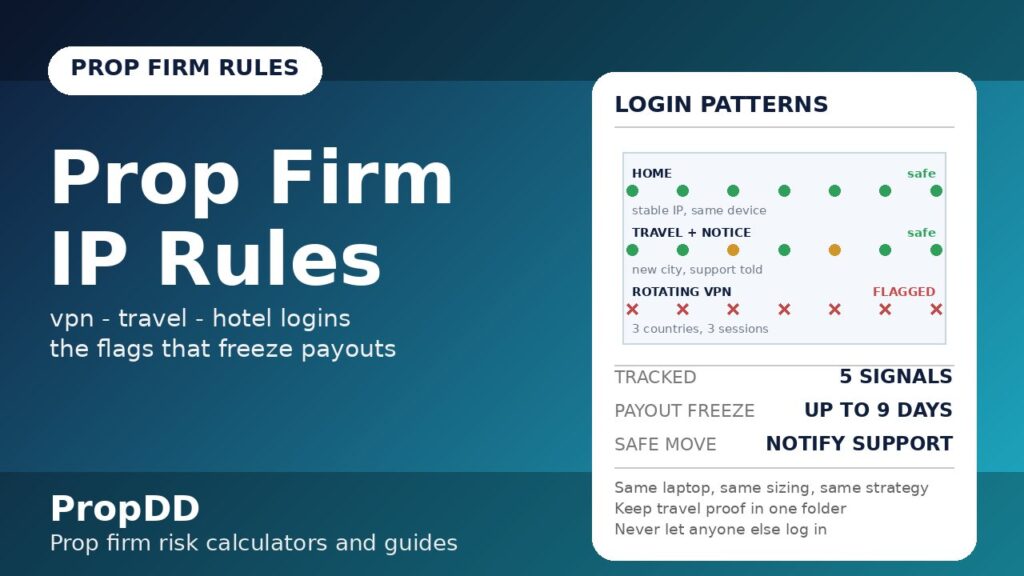
This is the question I get most, so here is the honest answer: VPN policies vary by firm — some ban VPNs outright, and nearly all of them flag rotating or free VPNs. The problem is not privacy — it is what a rotating IP looks like to the monitoring system. If your exit node jumps from Frankfurt to Singapore to Toronto across three sessions, you have manufactured the exact “impossible travel” pattern the system hunts. A paid VPN with a fixed, dedicated IP in your own country is a different story, and several firms’ own guides say to inform support before using one — but always check your firm’s written policy first, because the strict ones treat any detected VPN as a violation.
| Setup | Verdict | Why |
|---|---|---|
| Home fibre, no VPN | Safe | Stable IP, stable city — this is the baseline the profile is built on |
| Paid VPN, fixed IP, same country | Usually safe — notify support first | Location stays consistent; inform the firm in writing before the first login |
| Free VPN / rotating exit nodes | Flagged | Three countries in three sessions reads as account sharing or masking |
| Trading VPS near the broker server | Safe at most firms | One stable IP; check your firm’s VPS policy first |
| Hotel / cafe / airport Wi-Fi | Safe with notice | Fine for short trips if you warn support; keep proof of travel |
| Phone hotspot | Safe | Mobile IPs rotate within one carrier/city — normal human pattern |
| Two funded accounts, one household Wi-Fi | Risky | Same IP + mirrored trades = copy-trading flag; stagger entries and keep strategies distinct |
The row most traders underestimate is the last one. Running two accounts from the same router is allowed at most firms, but the moment both accounts take the same trade within seconds, the behaviour-matching layer sees a ring — my multiple accounts guide covers that copy-trading risk in full. Share a house with another funded trader and you trade different sessions or instruments, never mirrored entries.
Travelling With a Funded Account: The Routine That Works
After the Lahore episode I built a routine, and I have used it on six trips since — zero flags, zero frozen payouts. The principle is simple: make your legitimate travel look nothing like account sharing, and leave a paper trail before you need one.
| Step | When | What to keep |
|---|---|---|
| 1. Email support with your travel dates and destination city | 2-3 days before departure | The support ticket number + their written reply |
| 2. Screenshot your home IP (search “what is my ip”) | Day before you leave | Screenshot with date — proves your baseline |
| 3. Trade only from your own laptop and phone | Whole trip | Same device fingerprints the firm already knows |
| 4. Keep boarding passes and hotel confirmations | During travel | PDFs in one folder — the exact proof compliance asked me for |
| 5. Avoid public Wi-Fi for the trading platform if possible; use your phone hotspot | Whole trip | Hotspot keeps one carrier IP; hotel networks are shared with strangers |
| 6. Do not let anyone else log into your account — no “quick checks” by friends | Whole trip | A new device + new city is the account-sharing signature |
| 7. On return, email support that you are back on your home network | First day back | Closes the travel window in their records |
Step one does most of the work. When compliance sees a Lahore login attached to a ticket that says “travelling to Lahore, 12-16 October,” the flag clears itself. I also keep my position sizes identical while travelling — a new city plus suddenly tripled lot size is a second anomaly stacked on the first.
I Tested It: Travel-Mode Risk Maths on My 100k Account
Here is the part that connects to the rest of this site. Distraction is the real travel risk — hotel rooms, wedding noise, bad sleep — so on trips I trade in what I call travel mode: half my normal risk per trade, a hard cap of two trades a day, and a personal daily stop well below the firm’s $5,000 limit. I re-ran my numbers through the risk of ruin calculator at the lower risk setting before the last trip, and the survival math is the reason the mode works.
Travel position-size formula
Lots = risk in dollars / (stop in pips x pip value per lot)
Example: 250 / (30 x 10) = 0.83 lots — a 30-pip EURUSD stop at $250 travel-mode risk
| Setting | Home mode | Travel mode |
|---|---|---|
| Risk per trade | 0.5% ($500) | 0.25% ($250) |
| EURUSD, 30-pip stop (pip value $10/lot) | 500 / (30 x 10) = 1.66 lots | 250 / (30 x 10) = 0.83 lots |
| Max trades per day | 4 | 2 |
| Personal daily stop | $2,500 (firm limit $5,000) | $1,500 |
| Worst realistic travel day | 4 x -$500 = -$2,000 | 2 x -$250 = -$500 |
| Risk of ruin, 50% win rate, 1.5R avg (calculator) | ~2.1% | ~0.0% |
The position-size formula behind those rows is the same one from my position sizing guide: lots = risk in dollars / (stop in pips x pip value per lot). On travel mode a 30-pip EURUSD stop at $250 risk is 0.83 lots — boring, deliberate, and nearly impossible to turn into a compliance story or a breach. The deeper point: the IP rule punishes anomalies, and oversized emotional trading on a hotel login is two anomalies at once. My personal daily stop article explains why I keep the cap at $1,500 on trips — it is 30% of the firm’s limit, so even a terrible travel day is a footnote.
Flagged, Frozen or Terminated: What Each Outcome Costs
Not every flag ends the same way. Firms grade responses, and knowing the ladder tells you how worried to be — and what to do — at each rung.
| Outcome | What it means | What it costs you | How it ends |
|---|---|---|---|
| Verification email | Automated flag on a login pattern; firm asks you to confirm it was you | Nothing, if you reply fast | Reply within 24h with an explanation; account continues normally |
| Payout hold | Compliance review before releasing funds — my Lahore outcome | Days to weeks of delay; the money is not lost | Send ID + travel proof + written explanation; 5-10 days typical |
| Account suspension | Trading disabled during investigation of suspected sharing or copying | Missed trading days; profits made before the flag are usually safe | Full review of login + trade history; cleared or escalated |
| Termination + payout denial | Confirmed sharing, copying, or masking (VPN/proxy abuse) | The account, all unpaid profits, and sometimes a firm-wide ban | Rarely reversed — appeal only with hard evidence of error |
Two things decide which rung you land on: evidence and honesty. In my hold, I had boarding passes and a support ticket trail, and I told the truth about every login. In the account-sharing case I described earlier, the trader had neither — a stranger’s device on the account and no story that held up. If you are ever flagged for something you did not do, my breach appeal guide walks through the same evidence-first approach: written timeline, documents, no anger, no invented details. And note the asymmetry in the table: a verification email costs nothing, so replying fast and fully is the cheapest trade you will ever make.
The Safe-Login Checklist I Run Before Every Trip
This is the condensed version I keep in my phone notes. Seven checks, two minutes, and I have not seen a compliance email since Lahore.
- Support notified with dates + city, reply saved — turns the flag into a logged event.
- Trading only from my own devices — no new fingerprints during the anomaly window.
- No VPN, or a fixed-IP VPN the firm already knows about — rotating exits manufacture impossible travel.
- Travel documents saved in one folder — proof ready in minutes, not days.
- Travel-mode sizing loaded (0.25% risk, 2 trades max) — calm sizing keeps behaviour inside your profile.
- Nobody else touches the account — one shared login can end a funded account.
- “Back home” email sent on return — closes the window; the next trip starts clean.
The prop firm IP address rule feels invasive until you see it from the firm’s side: they are handing strangers six-figure accounts, and the rule is the only way they can tell you apart from someone who should not be on the account. Treat it as part of your risk management — same as the daily loss limit. Notify before you travel, keep your devices and sizing boring, keep your proof in one folder, and the rule becomes invisible. That is the whole game: be so unremarkable that the system never has a reason to look twice.
Frequently Asked Questions
Will using a VPN get my prop firm account terminated?
Not automatically. Most firms allow VPNs but flag rotating or free VPNs whose exit nodes jump between countries, because that pattern looks like account sharing or location masking. If you need a VPN, use a paid one with a fixed IP in your own country and email support about it before your first login. Check your firm’s written policy — a few ban VPNs outright.
Can I trade my funded account while travelling abroad?
Yes, at most firms — travel itself is not a violation. Email support 2-3 days before with your dates and destination, trade only from your own devices, keep boarding passes and hotel confirmations, and avoid letting anyone else log in. Several firms state in their IP guides that pre-notified travel logins are treated as legitimate.
Does trading from a phone hotspot trigger the IP rule?
No — a phone hotspot is one of the safest travel setups. Mobile carrier IPs rotate within one city, a normal human pattern, and it keeps you off shared hotel or cafe networks. I use my hotspot as the primary connection on every trip.
Can two traders use the same Wi-Fi network on the same prop firm?
Technically yes, but it is risky. Two funded accounts on one IP taking mirrored trades is the exact pattern behaviour-matching systems flag as copy trading. If you share a house or office with another funded trader, trade different sessions or instruments and never mirror entries within seconds of each other.
What proof do firms accept to clear an IP flag?
The standard set: government ID, boarding passes or travel tickets, hotel booking confirmations, and a written explanation with dates. In my case the firm asked for ID plus the boarding pass and released the payout nine days after I sent everything. Keep these in one folder whenever you travel.
Do prop firms track IP during the challenge too, or only on funded accounts?
Both. Monitoring runs from the first challenge login — firms verify identity before handing over a funded account, not after. A flagged challenge account fails like a funded one, fee not refunded. Run the same routine during evaluations.
Risk disclaimer: this article is educational content based on personal experience, not legal or financial advice. Prop firm IP and device policies differ between firms and change over time — always read your own firm’s current terms of service before travelling or changing your connection setup.