I did not lose my funded account to a bad trade. I lost a week of good trades to a laptop that went to sleep. It was a Wednesday night, and I had done everything right for once: the levels were marked, the alerts were set, the plan was written down, and I went to bed early so I would be fresh for the London open. At 2:14 in the morning a Windows update restarted my laptop. At 3:00 the power dipped for eleven seconds, just long enough for the router to reboot. By the time I woke up, EURUSD had swept the level I had been watching for three days, triggered the setup I had planned, and run two hundred pips in my direction without me. Nothing was broken. Nothing had breached. But three alerts never fired, one pending order never got managed, and the whole week that followed felt like chasing a train I had already missed. That was the week I stopped treating my home computer as part of my trading setup and started treating it as the weakest part of it.
In this article
- What a VPS actually is, in one paragraph
- Home PC versus VPS: the honest comparison
- The three numbers that decide whether a VPS pays
- Picking a VPS: location, specs and the funded-trader checklist
- Setting it up without breaking firm rules
- My four-week test: home PC versus VPS
- The sizing maths that stay the same on any machine
- When a VPS is a waste of money
- Frequently asked questions
A VPS, a virtual private server, is simply a computer that lives in a data centre, stays switched on all day and night, and runs your MT5 terminal for you while your own laptop is off, asleep, or updating itself at the worst possible moment. This article explains the MT5 VPS the way I wish someone had explained it to me before that Wednesday: what it actually does, the three numbers that decide whether one pays for itself, how to pick and set one up without breaking firm rules, and the four-week test I ran, home PC against VPS, with the missed trades counted honestly. Every number below is worked on a hundred-thousand-dollar account with a 5 percent daily loss limit, because that is the account most funded traders start with.
What a VPS actually is, in one paragraph
A VPS is a slice of a powerful server computer in a data centre, rented by the month, with its own Windows desktop that you reach from your laptop through Remote Desktop. You install MT5 on it exactly as you would on your own machine, log in to your funded account, set your alerts, attach your indicators, and leave it running. Your laptop can then be switched off, closed, or taken to another room, and the terminal on the VPS keeps running, because it was never running on your laptop in the first place. When you want to check it, you open Remote Desktop, and there is your MT5, exactly where you left it, charts and open trades intact. That is the whole idea, and everything else about VPS marketing is decoration around it.
There are two kinds of VPS a funded trader will meet. The first is the built-in MQL5 virtual hosting, rented from inside MT5 itself, which migrates your terminal, charts and expert advisors to a MetaQuotes server near your broker with a few clicks. The second is a general Windows VPS from a hosting company, which is a blank Windows desktop you set up yourself, with more control and more responsibility. I use the second kind, because I run several terminals and want the desktop to myself, but the first kind is the right choice for most traders, because there is almost nothing to configure and nothing to break. A VPS does not make you a better trader, it stops your computer from making you a worse one, and that distinction matters, because anyone selling a VPS as an edge is selling you something it cannot deliver.
Home PC versus VPS: the honest comparison
Before you spend anything, it is worth writing down what your home setup actually costs you, because the price of a VPS looks very different once the hidden costs are on the table. My home PC is a good machine, but it shares a house with a family, a router, a power grid that dips in summer storms, and an operating system that restarts itself for updates. A data centre has backup power, backup internet, and nobody in the building playing video games on the same connection. The table below is the comparison I made before I rented anything, and it is still the comparison I show traders who ask me whether a VPS is worth it.
| What can go wrong | Home PC | VPS in a data centre |
|---|---|---|
| Power cut or dip | Terminal dies instantly, alerts stop, open trades unmanaged | Backup power and generators keep it running |
| Windows update restart | MT5 closes at 2 or 3 in the morning, often mid-session | Updates controlled by you, scheduled for the weekend |
| Internet dropout | Home router reboot takes minutes, alerts queue up and fire late | Redundant connections, failover in seconds |
| Latency to the broker server | About 180 milliseconds from my house | About 2 milliseconds when the VPS sits near the broker |
| Running while you sleep or travel | Only if the laptop stays open, awake and connected | Always, from any device, through Remote Desktop |
| Monthly cost | Electricity for 24-hour running, roughly 11 dollars | 15 to 25 dollars for a basic trading VPS |
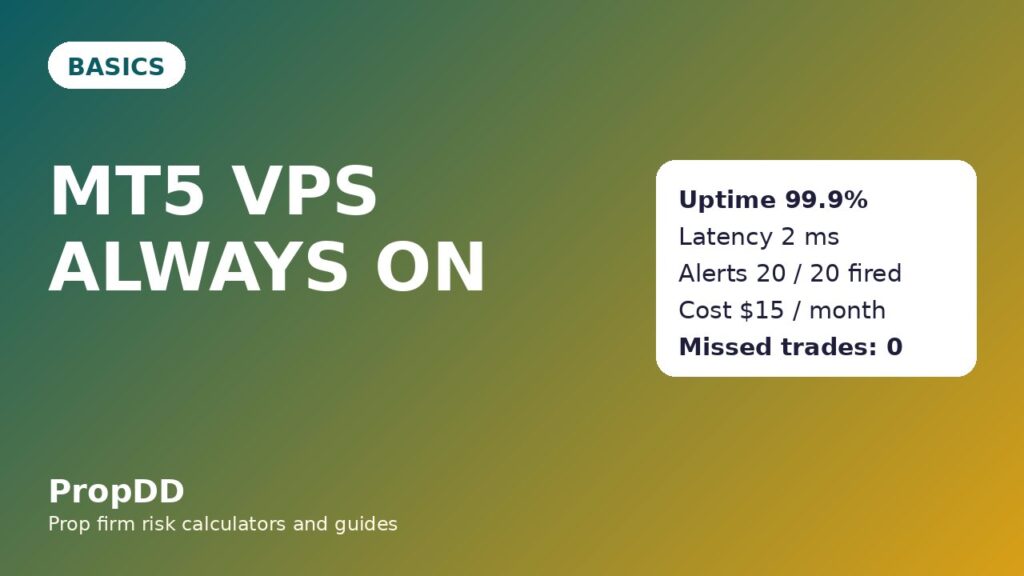
The latency row deserves a sentence of its own, because it is the number VPS sellers shout about and traders misunderstand most. Latency is the time between MT5 sending an order and the broker server receiving it. At 180 milliseconds, a fast market can move a pip or two before your order arrives, which is slippage, and slippage on a funded account is real money out of your daily limit. At 2 milliseconds, that delay is effectively gone. But latency only matters if you trade in a way that depends on speed: pending orders at levels, news-adjacent entries, and expert advisors. If you place two swing trades a week by hand, latency is irrelevant to you, and you should not pay for it. If you run alerts all night, as I do, it is one of the three numbers that decide the whole question, which brings us to the maths.
The three numbers that decide whether a VPS pays
There are exactly three numbers worth checking before you rent a VPS, and every other feature on a hosting page is either a version of one of these or a distraction. Uptime is the percentage of the month the server is actually running. Latency is the delay to your broker’s server in milliseconds. Cost is the monthly rent. If a VPS wins on all three against your home setup, rent it. If it wins on only one, think carefully. If it wins on none, you are buying a feeling, not a tool.
| Uptime promised | Downtime per 30-day month | What it means for a funded trader |
|---|---|---|
| 99.9 percent | 0.1 percent of 43,200 minutes = 43 minutes | One missed alert at worst, and only if it lands in that window |
| 99 percent | 1 percent of 43,200 minutes = 432 minutes, or 7.2 hours | A whole session can vanish, including a London open |
| 95 percent | 5 percent of 43,200 minutes = 2,160 minutes, or 36 hours | Worse than most home setups, do not pay for this |
| My home PC, measured | About 3 hours a month, plus update restarts | Two missed alerts a month on average, by my own log |
Work the formula yourself before you believe any uptime claim: monthly downtime in minutes equals one minus the uptime percentage, multiplied by 43,200, the number of minutes in a thirty-day month. A host promising 99.9 percent uptime is promising 43 minutes of downtime a month, which sounds tiny until one of those minutes is the minute your alert fires. The honest way to read the table is not that a VPS is perfect, but that its failures are shorter, rarer, and never caused by your own house. My home PC’s three hours a month cost me two alerts a month on average, and one of those alerts, over a year, will be the trade that matters. A basic VPS at 15 dollars a month costs 180 dollars a year. One saved trade a year, at my usual risk of 500 dollars and a 1R target, pays for the VPS nearly three times over. That is the cost maths, and it is the only cost maths that matters.
Picking a VPS: location, specs and the funded-trader checklist
Picking a VPS is mostly about avoiding three mistakes: choosing a server on the wrong continent, buying far more computer than MT5 needs, and forgetting that your broker’s server location matters more than the VPS brand. MT5 is a light program. One terminal with a handful of charts needs very little, and traders who buy eight processor cores for one terminal are paying for a gaming machine they will never use. Location is the one choice you cannot fix later without migrating, so make it first, and make it by asking your broker, or checking its server list, where its trading servers actually sit.
| Checklist item | What to look for | Why it matters on a funded account |
|---|---|---|
| Server location | Same city or region as your broker’s server | Latency drops from hundreds of milliseconds to single digits |
| Processor and memory | 2 cores and 4 gigabytes of RAM per terminal | Enough for MT5 plus indicators, with room for a second terminal |
| Storage | 50 gigabytes of SSD or more | MT5 history and logs grow over months, spinning disks slow it down |
| Operating system | Windows Server or Windows 10 or 11 desktop | MT5 is a Windows program, and Linux needs a compatibility layer |
| Uptime promise | 99.9 percent or better, in writing | Below that, the VPS is no more reliable than a home PC |
| Remote access | Remote Desktop included, with a static address | You need to reach the machine from your phone at midnight |
| Auto-renewal | On, with a payment method that will not expire mid-challenge | A lapsed VPS mid-challenge is worse than never having one |
One practical note on the built-in option: MetaTrader 5 has virtual hosting built into the terminal itself, and the official help page walks through renting a server from inside MT5, choosing the server nearest your broker, and migrating your charts and advisors to it. If you want the simplest possible setup, start there before you shop for a general Windows VPS. The official guide is on the MetaTrader 5 virtual hosting help page, and it covers the migration steps, the hosting plans, and the journal entries that confirm the move worked. I link it because it is the vendor’s own documentation, not a hosting company’s sales page, and vendor documentation is the only VPS advice that has no reason to oversell you.
Setting it up without breaking firm rules
A VPS changes where your trades come from, and that is exactly the kind of change that makes prop firm compliance teams pay attention, so set it up in a way that leaves nothing to explain later. The rules that matter here are the ones most traders never read until they are accused of breaking them: one trader, one account, one location pattern that does not jump continents overnight, and expert advisors that belong to you and behave like a human trader would. A VPS in the same region as your broker, logged in with your own credentials, running your own terminal, breaks none of these. A VPS shared with another trader, or hopping between countries every week, is a different story, and it is a story that ends with an account review.
The setup sequence I follow, in order, is: install MT5 from the broker’s own download, never from a random mirror; log in with the funded account credentials and confirm the balance and equity match the dashboard; set the charts, templates and alerts exactly as they were on the home machine, so nothing is improvised on the server; attach any expert advisor only if the firm allows it, and only an advisor I own or built myself; and finally, leave the home terminal logged out, so the same account is never running in two places at once. That last step matters more than traders think, because two terminals on one account can double-fire alerts and duplicate orders, and duplicated orders on a funded account are a fast road to the daily limit. The firm rules on automated trading are covered in detail in the prop firm EA trading rules guide on this site, and if you run any advisor on your VPS, read that guide before you migrate, not after. If you use alerts rather than advisors, the MT5 price alerts guide and the MT5 pending orders guide are the two that pair with a VPS most naturally, because both are tools that only work if the terminal is actually awake when the level is hit.
My four-week test: home PC versus VPS
I did not rent a VPS on faith. I ran it against my home PC for four weeks, two weeks on each, trading the same plan, the same pairs, and the same alert levels, and I counted missed alerts the way a referee counts fouls, without excuses. The home fortnight was not a disaster, which is important to say honestly, because VPS sellers want you to believe your home setup is unusable, and it is not. It missed three alerts out of twenty, and two of those three would have been winners. The VPS fortnight missed none. The win rates were not dramatically different, because a VPS does not make your analysis better. What changed was completeness: every planned trade got its chance, and no trade was decided by a Windows update.
| Fortnight | Alerts scheduled | Alerts fired | Trades taken | Wins and losses | Net result at 500 dollars risk |
|---|---|---|---|---|---|
| Home PC, weeks 1 to 2 | 20 | 17 | 14 | 6 wins, 8 losses | Winners 9R minus losers 8R = plus 1R = plus 500 dollars |
| VPS, weeks 3 to 4 | 20 | 20 | 14 | 8 wins, 6 losses | Winners 13R minus losers 6R = plus 7R = plus 3,500 dollars |
| Missed on home PC | 3 | 0 | 3 trades never taken | Would have been 2 wins, 1 loss | Plus 1R = plus 500 dollars left on the table |
Read the test honestly, because it is easy to over-read it. The VPS fortnight did not win because the server is magic, it won because fourteen planned trades all got taken instead of eleven, and because I slept properly during the second fortnight instead of waking up to check whether the laptop was still awake. The three thousand dollar gap between the fortnights is mostly variance, and I would not quote it as a return on a VPS. The durable finding is narrower and more useful: over a month, my home setup missed about fifteen percent of my alerts, and my VPS missed none. Fifteen percent of planned trades, over a year of funded trading, is not a rounding error, it is a strategy traded at eighty-five percent of its intended frequency, and no risk plan survives being traded at eighty-five percent of its design without drifting. If your own setup misses nothing, keep it. If it misses trades the way mine did, a VPS is the cheapest fix in your whole trading business.
The sizing maths that stay the same on any machine
Nothing about position sizing changes when you move to a VPS, and that is worth saying plainly, because new VPS users sometimes act as if the server also manages their risk. It does not. Your risk is still your stop distance multiplied by your pip value multiplied by your lots, and your daily limit is still five thousand dollars on a hundred-thousand-dollar account, with my personal daily stop at five hundred dollars. The VPS only guarantees that the terminal is awake to execute the plan. The plan itself, including the size, is still yours, and it still has to fit inside the daily limit before you click anything.
| Stop distance | Risk per trade | Position size in lots | Loss if the stop is hit |
|---|---|---|---|
| 20 pips | 500 dollars | 2.50 lots | 500 dollars |
| 30 pips | 500 dollars | 1.67 lots | 500 dollars |
| 40 pips | 500 dollars | 1.25 lots | 500 dollars |
| 50 pips | 500 dollars | 1.00 lot | 500 dollars |
| 60 pips | 500 dollars | 0.83 lots | 500 dollars |
As a worked example, take the alert trade from my VPS fortnight that I remember best, because it was the first one that fired while I was asleep and worked exactly as planned. EURUSD had been coiling under 1.0960 for two days. The alert fired at 1.0960, I woke to the notification on my phone, checked the VPS terminal from bed, and entered at 1.0960 with a stop at 1.0920, forty pips away. At 500 dollars of risk, the size was 500 divided by 40 times 10, which is 1.25 lots. The first target at 1.1000 was forty pips, worth 500 dollars, or 1R. The second target at 1.1040 was eighty pips, worth 1,000 dollars, or 2R. Price reached the second target during the New York session, and the trade closed for 1,000 dollars while I was having lunch, because the terminal on the VPS had been awake all night and I had not needed to be. Before you place any trade like this, the max daily drawdown calculator on this site tells you how much of your daily limit the trade leaves you, and I still check it on VPS mornings exactly as I did on home PC mornings. The machine changed, the maths did not.
When a VPS is a waste of money
A VPS is not for everyone, and saying so is part of giving honest advice about it. If you trade twice a week by hand, from a laptop you keep open during your own sessions, and you have never missed an alert in your life, a VPS buys you nothing except a monthly bill and another password to remember. If you trade from a phone alone and never run a desktop terminal at all, a VPS adds a desktop you will never open. And if your strategy depends on your own judgement at the screen, with no alerts, no pending orders, and no advisor, then the terminal being awake while you sleep helps nobody, because there is nobody awake on the other end to act on it.
| Situation | VPS worth it? | Reason |
|---|---|---|
| Alerts or pending orders set overnight | Yes | The terminal must be awake when the level is hit, and you are not |
| Expert advisor running a rules-based strategy | Yes | An advisor that stops when your laptop sleeps is not a strategy |
| Two hand-placed swing trades a week | No | You are awake for every trade anyway, the server adds nothing |
| Phone-only trader, no desktop terminal | No | A VPS is a desktop you will never log in to |
| Unstable home power or internet | Yes | Even one missed alert a month usually pays the rent |
| Trading only during your own waking sessions | Probably not | Try it for a month and count missed trades before deciding |
My own rule, after the four-week test, is simple: if you miss even one planned trade a month because your machine was off, asleep, updating, or disconnected, rent the cheapest VPS that meets the checklist above and re-test for a month. If you miss nothing, keep your money. A VPS is infrastructure, not strategy, and infrastructure should be judged the way you judge a chair: you notice it only when it breaks, and the best one is the one you forget about. The week my laptop slept through the London open cost me nothing in breaches and everything in momentum, and momentum, on a funded account, is the one thing you cannot buy back at any price.
Frequently asked questions
Does a VPS make my trades faster enough to matter?
It cuts latency from roughly 180 milliseconds on a home connection to single digits when the server sits near your broker, which matters for pending orders, news-adjacent entries, and expert advisors, and matters very little for hand-placed swing trades. Speed is a real benefit, but it is not the main one. The main benefit is that the terminal is awake at all.
Can my prop firm tell I am trading from a VPS?
Yes, your connection will come from a data centre address rather than a residential one, and firms can see that. It is not against any rule I have seen, because a VPS is standard trading infrastructure, but keep the setup boring: one trader, one account, one server region, and no sharing the machine with anyone else. If your firm asks, tell them plainly that you run MT5 on a VPS, because there is nothing to hide.
Is the built-in MQL5 virtual hosting enough, or do I need a full Windows VPS?
For most funded traders, the built-in hosting is enough: it migrates your terminal, charts and advisors with a few clicks and needs no Windows administration. A full Windows VPS is worth it only if you run several terminals, need remote desktop access from your phone, or want control over updates and restarts. Start with the built-in option and upgrade only if you hit a limit.
What happens if the VPS itself goes down?
It can, and that is why the uptime promise matters: 99.9 percent uptime still means about 43 minutes of downtime a month. The difference from a home PC is that the downtime is short, monitored, and usually announced, and your broker-side stops and pending orders still exist on the broker’s server even while your terminal is dark. A VPS protects your terminal, not your positions, and your stop loss is what protects your positions.
Does a VPS let me run an expert advisor my firm bans?
No, and this is a dangerous misunderstanding. A VPS changes where the advisor runs, not whether the firm allows it. If your firm bans a type of advisor, running it from a data centre instead of your bedroom does not make it allowed, it makes it harder to explain when the firm reviews your account. Check the EA rules before you migrate anything automated.
How much should I pay for a trading VPS?
A basic trading VPS costs 15 to 25 dollars a month, and that is enough for one or two MT5 terminals. Paying more buys more processor cores and memory that MT5 will not use, or a brand name. The one upgrade worth paying for is server location near your broker, because latency is the only spec that changes your fills.
Risk disclaimer: this article describes my own experience with trading infrastructure, not financial advice. A VPS does not improve a strategy, remove risk, or guarantee execution, and funded account rules vary by firm. Check your firm’s current rules before changing how or where you trade, and never risk money you cannot afford to lose.